Skip to content

Cookie settings

Choose which kinds of cookies you allow. You can change your choice at any time via Cookie settings at the bottom of every page. Privacy statement

Necessary

Always on

Needed to log in, keep your cart and remember your choices. These are always on.

Which cookies?
  • weboke_sessie, weboke_klant, weboke_remember: your session and staying logged in
  • weboke_basket: your cart
  • wkBtwIncl: showing prices with or without VAT
  • wok_cookies: your cookie choice, 12 months

Measures which ad leads to a visit or order, so we do not pay for ads that do nothing.

Which cookies?
  • Google Ads via Google Tag Manager (_gcl_au, _gcl_aw), up to 90 days
  • OpenAI Ads, ads in ChatGPT
  • wok_aff: which partner referred you to us (affiliate programme), 60 days

4.6

Country and language

Each country has its own site, with prices and VAT for that country.

View

Go to DirectAdmin

Watch it in a short video

From My Products to DirectAdmin 0:52

DirectAdmin is the control panel for your hosting package. It's where you create mailboxes, databases and FTP accounts, for example. From My WebOké you can get there in one click, without having to log in separately.

How to open DirectAdmin

  1. Go to My Products.
  2. Click the DirectAdmin button next to your package. Or open the product page first and click Go to DirectAdmin there (1).
  3. DirectAdmin opens in a new tab. You're logged in straight away to the right server, with your own account.
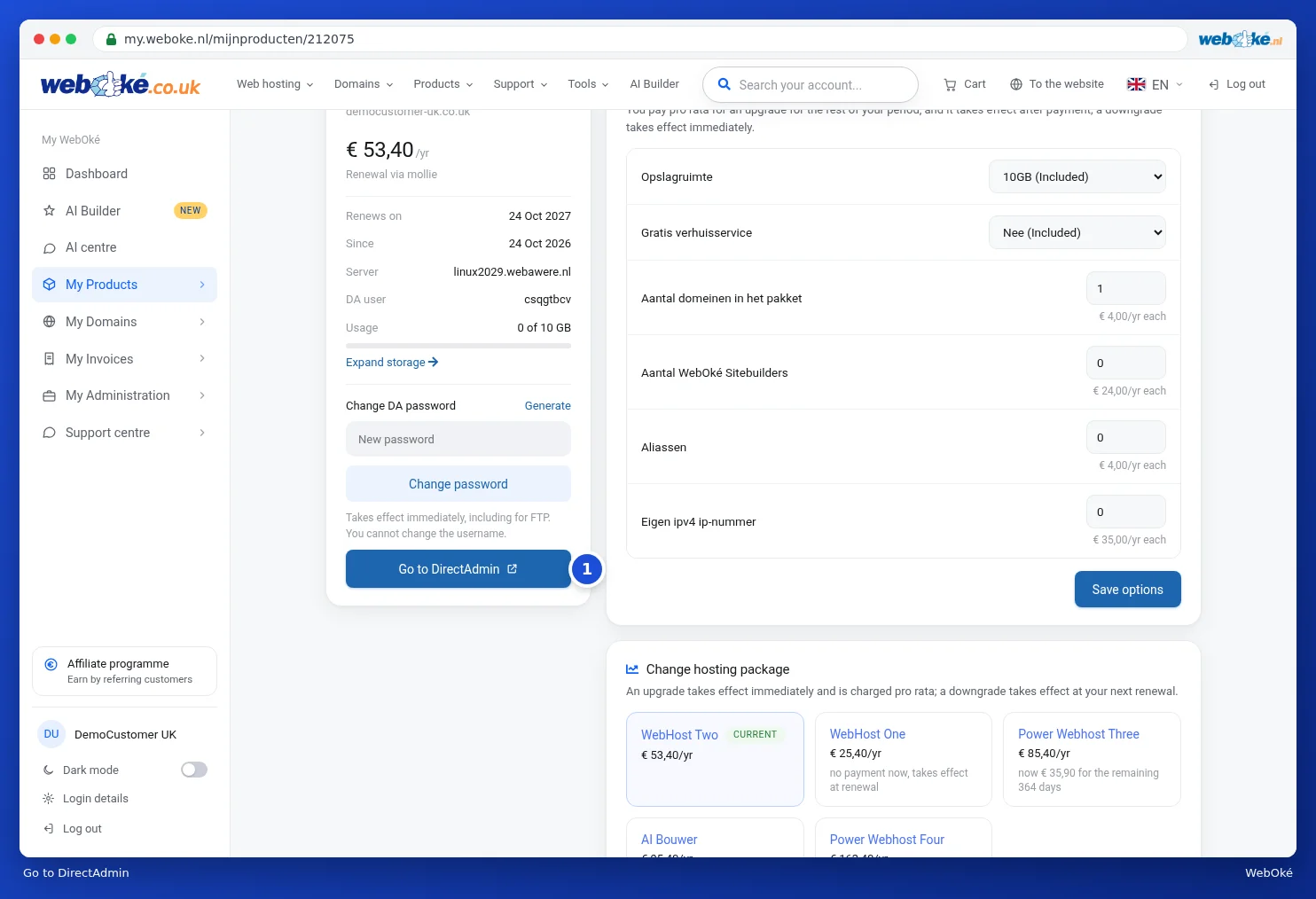
The Go to DirectAdmin button on the product page
The Go to DirectAdmin button
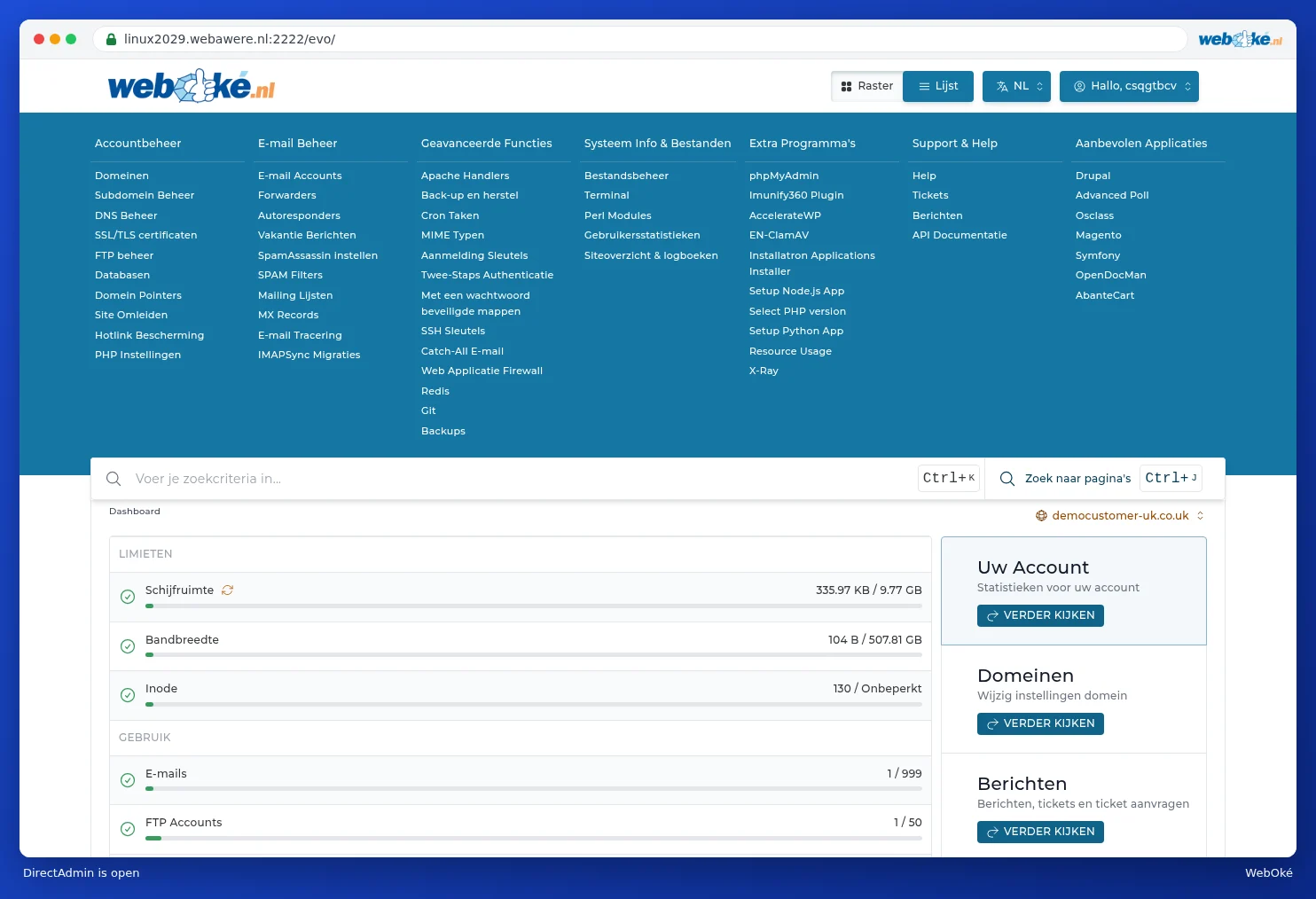
The DirectAdmin home screen showing the demo customer's account
DirectAdmin has opened in a new tab

We explain everything you can do in DirectAdmin step by step in the DirectAdmin manual.

Nothing happening?

  • Your browser may be blocking the new tab. Allow pop-ups for my.weboke.nl and click again.
  • The button only appears for packages with a DirectAdmin account. Nextcloud, for example, doesn't have DirectAdmin.
  • Are you using your own user within someone else's account? Then you need the right permissions for this, see Inviting users and setting permissions.

Tip: would you rather log in directly, for example with an FTP program? You'll find your username on the product page under DA user. You can set a new password there under Change DA password, see The product page for your hosting package.

One moment…

Set up your domains

For each domain, arrange the nameservers, the link to your hosting and who becomes the owner.

Loading your domains…